Campaign
Dynamic Ads and the Product Feed

Author
Koray Soygün
30 Apr 2026
Use Dynamic Ads to deliver product ads in an automated and data-driven way.

Overview
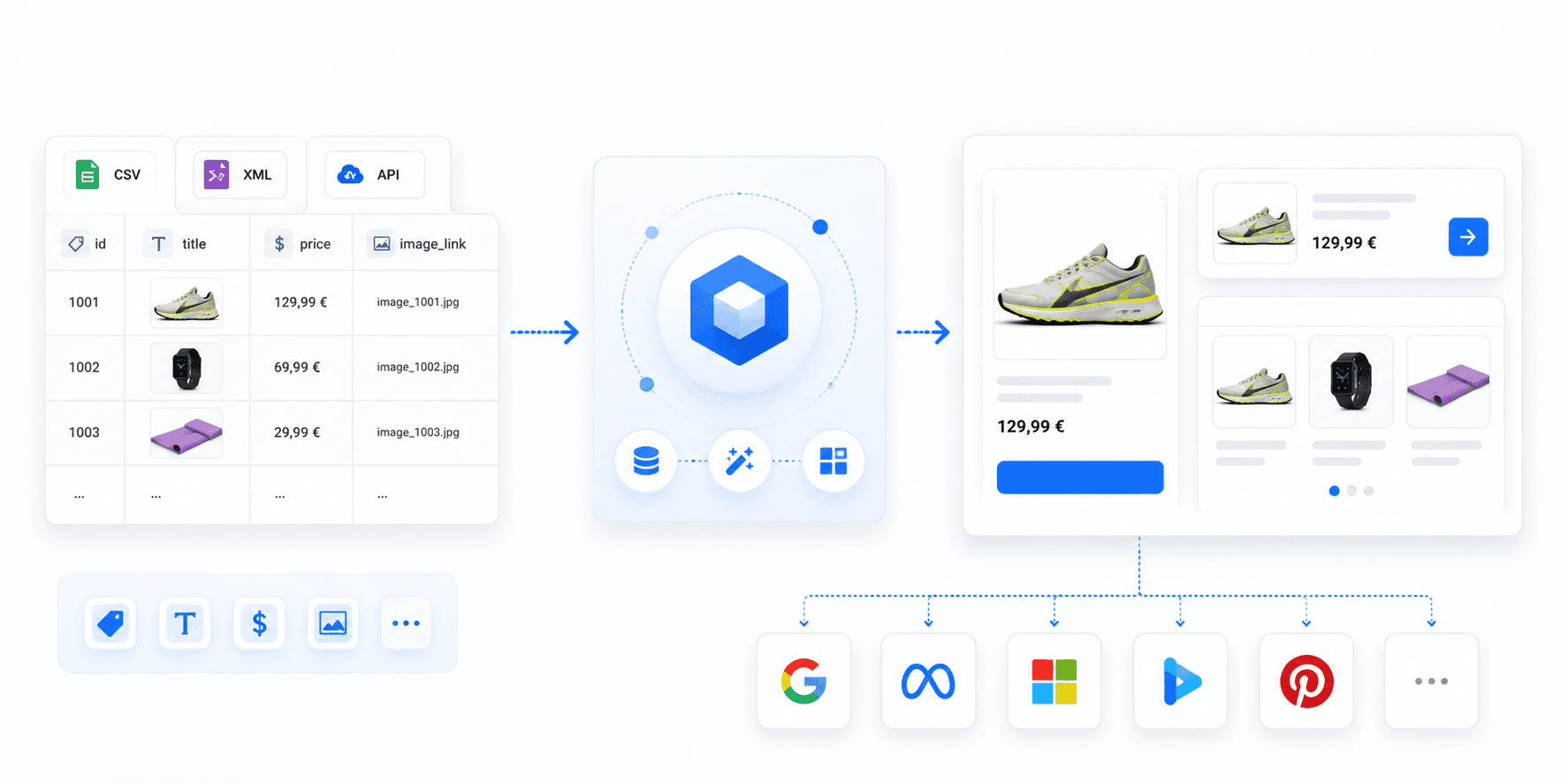
With Dynamic Ads, you can automatically deliver personalised ads based on your product feed.
Content such as:
Product titles
Prices
Images
Categories
Availability
Product links
is automatically taken from your feed and integrated into dynamic advertising materials.
This allows you to efficiently promote large product catalogues and automatically keep ads up to date.
What is a product feed?
A product feed is a structured file containing all relevant information about your products.
The feed serves as the data source for Dynamic Ads.
Supported formats include, for example:
XML
CSV
TXT
Typical feed content:
Field | Description |
|---|---|
id | Unique product ID |
title | Product name |
description | Product description |
price | Product price |
image_link | Image URL |
link | Destination URL |
availability | Availability |
category | Product category |
How Dynamic Ads work
Dynamic Ads automatically access the data in your product feed.
When the ad loads, the matching product information is dynamically inserted.
This enables you to:
automatically promote large volumes of products
keep prices and availability up to date
display customised product ads
scale campaigns efficiently
Requirements for Dynamic Ads
For Dynamic Ads to function correctly, you require:
a valid product feed
complete product data
accessible image URLs
valid landing pages
at least one Dynamic Ad template
Requirements for the product feed
Use structured data
All products should be structured consistently.
Example:
Maintain required fields completely
Incomplete data can result in products not being delivered.
Particularly important are:
Product ID
Title
Price
Image
Destination URL
Keep image URLs publicly accessible
Product images must:
be publicly accessible
use stable URLs
load quickly
remain permanently available
Keep prices up to date
Price discrepancies between the feed and the landing page should be avoided.
Update your feed regularly, especially in the event of:
price changes
sales promotions
seasonal products
changes in availability
Submitting a product feed
Step 1: Prepare feed
Check before uploading:
file format
field structure
image URLs
landing pages
character encoding
UTF-8 is recommended.
Step 2: Provide feed
The product feed can, for example, be:
provided via URL
updated regularly
automatically exported
.
Step 3: Store feed in the advertiser frontend
Navigate to:
Tools → Product Feed
There you can store and manage your feed.
Dynamic Ad templates
Dynamic Ads are based on templates.
Placeholders are used within the templates, which are automatically filled with feed data.
Examples:
This allows ads to be generated automatically for thousands of products.
Best Practices
Use clear product titles
Product titles should be:
unambiguous
clear
relevant to search queries
as precise as possible
.
Example:
Good:
Less suitable:
Use high-quality product images
Products with high-quality images generally achieve better engagement and click-through rates.
Recommendations:
high resolution
neutral background
clear representation of the product
consistent image sizes
Update feed regularly
Automated feed updates help to:
keep prices up to date
remove out-of-stock products
deliver new products faster
Maintain categories properly
Proper categories simplify:
reporting
filtering
campaign management
product selection
Common Sources of Error
Missing or faulty images
Inaccessible image URLs can lead to ads not being delivered.
Invalid landing pages
Product links should always be:
accessible
up to date
mobile-optimised
.
Inconsistent data formats
Pay attention to:
uniform price formats
consistent categories
correct character encoding
complete datasets
Outdated feed data
If prices or availability are not updated, this can lead to incorrect ads.
Benefits of Dynamic Ads
Benefit | Description |
|---|---|
Automation | Ads are generated automatically |
Scalability | Promote large product catalogues efficiently |
Up-to-date data | Prices and availability remain current |
Personalisation | More relevant ads for users |
Efficiency | Less manual maintenance effort |
Which use cases are Dynamic Ads suitable for?
Dynamic Ads are particularly suitable for:
E-commerce shops
large product catalogues
frequently changing ranges
seasonal campaigns
retargeting campaigns
automated product recommendations