Campaign
How do I implement a responsive ad unit?
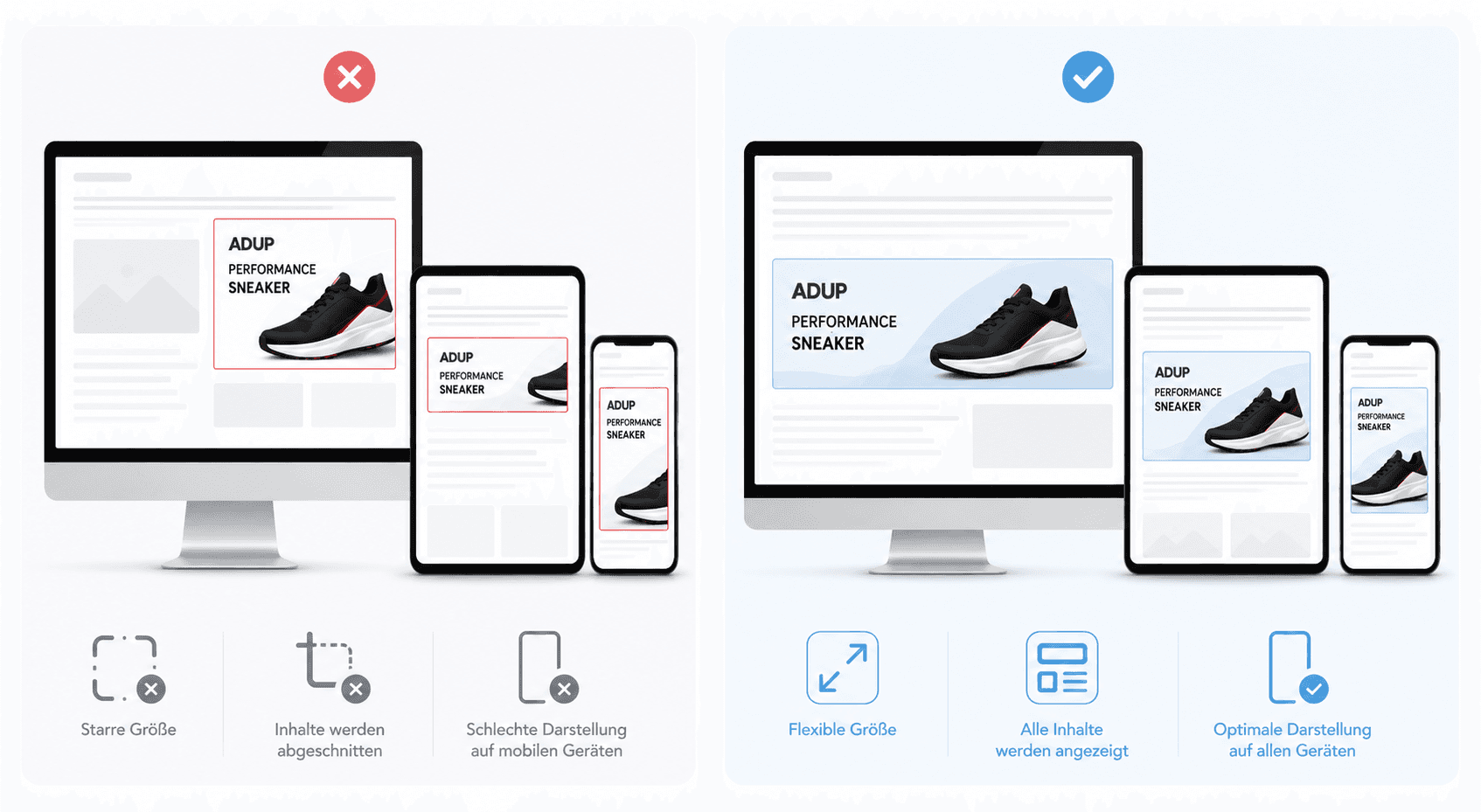
Responsive ad units automatically adapt to different screen sizes, making them particularly suitable for modern, mobile-optimised websites.

To display AdUp promotional media on your website, you must first:
have created your website in your publisher account
have created an ad block
have selected the integration type “Responsive Ads” in the layout
Responsive ad blocks automatically adapt to different screen sizes and are therefore particularly suitable for modern, mobile-optimised websites.
How Responsive Ads work
AdUp promotional media is loaded within an iFrame at the desired position on your website. The size and arrangement of the ads are based on the HTML container that you define on your page.
It is therefore important that:
The surrounding HTML container always requires a valid width and height specification.
This is the only way our responsive logic can scale and optimise the ad correctly.
If the available space is smaller than the originally configured layout, AdUp automatically adapts the display. This may, for example, result in:
font sizes being reduced
individual elements being hidden
ads being arranged differently
images or buttons being shrunk
This ensures that the promotional media is displayed neatly even on smaller devices.
Available integration types
Responsive ad blocks can be integrated in two ways:
Asynchronous (recommended)
Synchronous
Asynchronous integration offers the best performance and should be used preferentially.
Asynchronous integration (recommended)
With asynchronous integration, the web page is rendered independently of the loading of the advertisement. This improves the loading time of your page.
Integration takes place in two steps:
Define the HTML container on the website
Load the AdUp JavaScript API asynchronously
This method is particularly suitable if:
multiple ad blocks are used on one page
events such as
onClickoronNoAdsare to be usedmaximum performance is desired
Step 1: Create the HTML container
First, place a container with a unique ID and a defined height and width:
<div id="adup1" style="width:100%;height:250px;"></div>
Alternatively, you can also define the size specifications via CSS:
Step 2: Load the AdUp API and integrate the ad block
Important Parameters
Parameter | Description |
|---|---|
| The unique key of your ad block |
| Activates the responsive logic |
Example with multiple ad blocks
Synchronous integration
With synchronous integration, the ad block is loaded directly via an embedded script.
This method is simpler, but offers less flexibility and can affect the loading time of your website.
Optimal use of Responsive Ads
For the best display, we recommend:
flexible widths (
width:100%)sufficient height for the chosen layout
no nested containers with fixed minimum sizes
mobile optimisation of the surrounding website
Responsive ads are particularly suitable for:
mobile websites
responsive layouts
dynamic content areas
article and magazine pages
Common Error Sources
Ads are not displayed
Check:
whether the
placementKeyis correctwhether the container has a height
whether JavaScript is enabled on the page
Ad is the wrong size
Check:
CSS rules of the container
parent container with
display:nonedynamic size changes by frameworks
Multiple ads not loading correctly
Use the asynchronous integration and assign unique container IDs.